
IPTV AUSTRALIA · 1 MONTH AUD $11.99 TOTALInstall your player. Request a one-day trial ↗

Help · IPTV Australia

Fire TV Text Banner: adjust focused interface text for readability

Fire TV Text Banner presents the currently focused item’s title and related interface text in a fixed banner. It is intended to help viewers who need a more readable area of text. It is a different feature from the subtitle track containing the programme’s dialogue.

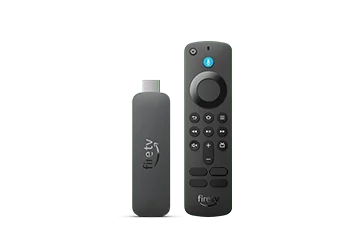
Fire TV Stick 4K Select (2025)

Choose the right text feature

Amazon places Text Banner under Accessibility and describes custom font, colour, banner size and timing options. Its current help also provides a tutorial. Begin by moving focus between ordinary menu items and checking whether the banner presents the text you need.

If the problem is understanding spoken dialogue, look for a suitable caption or subtitle track instead. Enlarging a title banner will not create missing translated captions. Keeping these two tasks separate makes it easier to choose a helpful setting without covering more picture area than necessary.

Adjust for the actual viewing position

Use the television at the normal seating distance and compare a few menu screens with different backgrounds. Let the viewer choose the combination they can read comfortably. Record the original settings before changing size, colour or timing so an unsuccessful trial can be reversed.

A useful illustrative comparison is one short title and one longer description. Check whether the longer text remains available long enough to read, and whether the banner blocks a control needed to continue. Do not judge the entire configuration from a single brief label.

Keep shared-device preferences clear

In a shared household, explain that an added text box may be an intentional accessibility preference. Ask the person who relies on it before disabling it. If it appeared unexpectedly, inspect the setting and remote shortcut documented for the current model rather than resetting every application.

For support, describe whether the banner is absent, unreadable, mistimed or obscuring a needed control. Include the Fire TV model and app where the problem occurs. A correctly configured system feature does not guarantee that every third-party application supplies complete, well-labelled interface text.

Sources and further reading

Get your setup right from the start.

Tell us your device and player. We’ll help you take the next step with a clear plan enquiry or trial request.

Talk to IPTV Australia ↗