
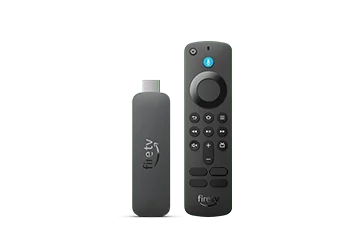
Collect the information on the device
Open the Fire TV’s About information and record the model, generation and software version. Compare that record with Amazon’s current device table. Keep a screenshot only if you can crop it to the relevant system information without account or network identifiers.
A retail box or purchase title can help, but the device’s own software screen establishes what is currently installed. A used unit or a later update may no longer match a screenshot captured when the model first launched.
Choose the correct software branch
Amazon’s current lineup contains Android-based Fire OS and the separate Vega platform. The 2026 4K third generation, 2026 HD and 2025 4K Select are in the Vega family. An Android APK guide written for an older Fire OS stick is not a universal Fire TV procedure.
Check the player publisher’s supported operating system before searching for an installer. A downloadable file with the right brand in its filename does not establish that it targets the device in front of you.
Use the result in a setup enquiry
| Send | Leave out of a public post |
|---|---|
| Exact Fire TV model and year | Amazon account details |
| Installed OS/software version | Private playlist URL |
| Player and publisher name | Passwords or service tokens |
| Visible error and failure stage | Full unredacted account screens |
Keep documentation conflicts in perspective
Some general device tables can lag a version-specific release note. Use the current Amazon release record to understand an update, but continue to describe your own unit by the version actually displayed. An available update and an installed update are separate facts.