
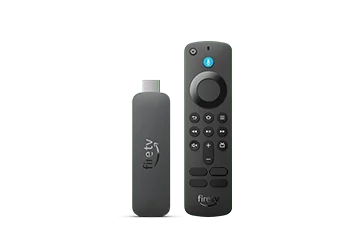
Read the operating system before choosing an app
Amazon’s Fire OS overview maps models to their software platform. The 2026 Fire TV Stick 4K third generation and Fire TV Stick HD are Vega devices. The 2025 4K Select is also in the Vega family. A guide written for an older Android-based Fire TV Stick can therefore be the wrong starting point for a newly purchased model.
Open the device’s About information and record the complete model and software version. Keep both details together when checking a publisher’s supported-platform list. A product title containing Fire TV, 4K or HD is not enough to identify the application format.
Use the platform’s actual distribution route
On Fire OS, start with the Amazon Appstore and the player publisher’s current support information. Android ancestry does not guarantee that an Android TV package is compatible with every Fire OS version, remote or hardware decoder. On Vega, use a Vega-compatible release available for that device; an Android APK is not a Vega installation method.
If a seller provides only an APK, establish which operating system it targets before doing anything else. Renaming the file, entering another Downloader code or adding a USB drive does not convert that application into a Vega build.
Keep hardware support separate from the account
| Layer | What to establish |
|---|---|
| Device | Exact model and OS shown in About |
| Player | Publisher-supported build and account input type |
| Subscription | Account conditions and authorised content access |
| Playback | A real test of the required stream on that combination |
Resolve conflicting version tables
Amazon’s recent Vega 2.0 release notes identify updated builds for the 4K third generation, HD and 4K Select. Some older identification pages still refer to Vega 1.1. Prefer the current version-specific release notes when explaining an update, while using the version actually displayed on the device for troubleshooting. A documentation update does not prove that a particular household device has received it.