
Read the exact generation
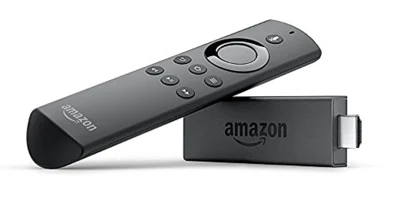
Amazon’s specification tables retain older Fire TV and Fire TV Stick models with different Fire OS branches. A similar plastic case or remote does not establish that two models share application support. Use About and the model’s original release year to choose the appropriate documentation.
Compare the device’s installed OS with the player publisher’s minimum requirements. Keep current software support separate from the fact that the device continues to boot. A discontinued app version may also lose access to changes made by the service it connects to.
Try ordinary maintenance in a sensible order
Restart the device normally, check manufacturer updates, inspect free storage and confirm whether the required application is still available for that model. Reinstall only when you have the account details and a supported source from which to restore the player.
Avoid treating a factory reset as a compatibility upgrade. Resetting removes local configuration; it does not change the processor, remote design or fundamental OS branch. It can make recovery harder if an old app is no longer distributed.
Decide what a replacement must solve
List the problem a new device is intended to remove. Examples include the absence of a supported player, a required display format, an Ethernet connection or a remote interface that remains usable at normal viewing distance. Then compare the replacement’s documented capabilities against that list.
Newer is not enough on its own: a newer Vega stick has a different software ecosystem from an older Fire OS device. Confirm the actual player route on the candidate model before expecting an existing APK-based workflow to transfer.
Retain access safely
Keep credentials and invoices outside public photos. Record app names and settings you may need later, but never share a full private playlist link in a public support thread. A short model/OS/app list usually explains the compatibility question without revealing account access.