
Distinguish the two HDMI jobs
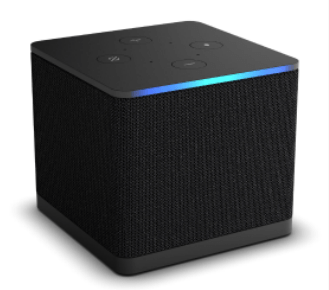
Amazon documents the third-generation Cube as a Fire OS 7 device with a separate HDMI input for a compatible external source. Its HDMI output sends the Cube interface to the television. An attached cable box or console remains its own source with its own account and settings.
If a problem appears only while using the attached input, check that source and its cable path. If the Cube’s own player app fails, investigate the installed app and Fire OS route. Switching between these paths is useful precisely because they are not the same application session.
Install for Fire OS, then test the account
Use the Cube’s app catalogue and the player developer’s current supported-platform information. Amazon’s Android-based Fire OS context does not turn every Android application into a TV-remote-ready release. Confirm the input method the player expects before entering account details.
Test the ordinary remote controls even if you also use hands-free voice features. Voice commands can help launch an app, but they do not replace a reachable login form, audio selector or playback menu inside a third-party application.
Compare wired and wireless results carefully
The Cube offers a different network and connector arrangement from a small HDMI stick. If you compare a wired connection with Wi-Fi, keep the same player and source item so that the test changes one variable at a time.
A better network path may improve a local connectivity problem. It does not establish that an unavailable app, rejected account or unsupported codec has been fixed. Note whether the test changes loading time, interruptions or the ability to start playback at all.
Keep control and playback evidence separate
Write down whether a command failed to reach the Cube, whether the correct input was selected and whether the player subsequently produced picture and sound. This three-stage note makes it easier to distinguish control configuration, HDMI routing and media playback without a broad reset of every connected device.