
Follow the signal path
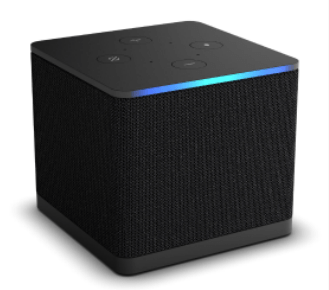
On the third-generation Cube, the manufacturer documents an HDMI input for a compatible external source. The Cube’s output then connects to the display chain. A cable box or console on the input retains its own settings and account.
If the problem appears only when that input is selected, inspect the attached device and cable path. A player installed directly on the Cube is a different application session with its own network and credentials.
Compare with a known working path
Confirm that the Cube home screen is visible and that ordinary controls respond. Then compare the installed app or attached source that fails. Keep the result precise: Cube menus normal, one HDMI input blank, or one app error after login.
A remote command that selects the wrong input can look like missing content. Establish the selected source before changing a service password or reinstalling an application.
Keep control and media checks separate
Hands-free or remote commands can launch a source, but playback still depends on the chosen application or attached hardware. Voice control succeeding does not prove the source has produced a valid HDMI signal or authenticated media session.
Record the television, any receiver/soundbar, the Cube model and the selected path. These details describe the display chain without exposing private account information.
Use the failure to choose the next action
| Failure | Relevant layer |
|---|---|
| Wrong source selected | Input/control configuration |
| Attached box blank | External device and HDMI path |
| Cube app rejects login | App account and format |
| Only one media item fails | Source and playback format |