
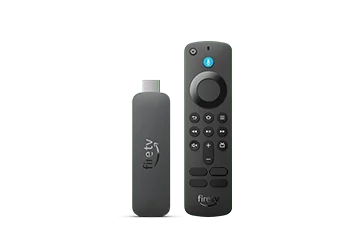
Record the exact response
Note whether VoiceView speaks the focused item and whether a green focus outline appears. Then record what one Menu press does on the current screen. Spoken orientation information is a different response from no input at all. Keep the remote model and application with the observation.
A hypothetical mismatch occurs when a tutorial was recorded without VoiceView while the viewer intentionally uses it. The same physical button can then be part of a different interaction pattern. Avoid disabling a viewer’s screen reader merely to make the tutorial look familiar.
Use the documented mode-specific action
Consult Amazon’s VoiceView control table for the actual intended task. It distinguishes a single Menu press, a double press and longer holds. Use the appropriate sequence deliberately rather than pressing repeatedly with no clear expectation.
Practise on an ordinary harmless details screen before signing in or making a purchase. Ask the person using VoiceView whether the spoken result is understandable. A support helper should preserve the focus context and explain each action instead of taking over a remote the viewer relies on.
Separate an app label problem
If the supported sequence reaches options but a control is unlabelled, report that app-specific accessibility issue. If the physical button also fails outside VoiceView in a relevant comparison, preserve that different result. Do not merge speech behaviour, focus labels and remote hardware into one symptom.
Include Fire TV model, remote, VoiceView state, app and exact sequence in the support note. Keep passwords and private programme histories out of recordings. This article describes the publisher’s documented interaction distinction and an observation method; it does not certify every player’s accessibility or claim a physical-remote test.