
Describe what is actually missing
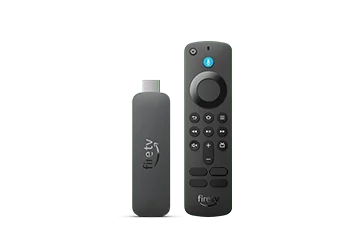
Open the documented Display & Audio area and note whether the mirroring option itself is absent or whether it opens but cannot find a sender. These are different states. Keep the Fire TV model name with the observation, especially if an online tutorial demonstrates another generation.
A useful example is a household replacing an older box while keeping the same television. The visible screen and Wi-Fi can stay familiar even though receiver capabilities differ. The right comparison is between the two Fire TV models, not between their home-screen wallpaper or the brand printed on the TV.
Check the sender without making assumptions
Amazon’s compatibility help excludes Android devices without Miracast, Windows devices without the required wireless-display support, and iPhone or Mac for this Miracast method. An Android logo therefore does not settle the question. Look up the sender manufacturer’s actual wireless-display instructions.
If somebody is trying to send an iPhone screen to a Fire TV Smart TV, identify whether that television has a separate supported AirPlay implementation. Do not apply a Miracast tutorial to it by substituting an Apple menu name. A specific supported app’s casting function can also be a separate route.
Choose a supported next step
When the receiver lacks the documented feature, stop cycling network passwords or factory resets. Decide whether a native TV app, a supported casting route or a wired connection fits the viewing task and the service’s terms. Verify that route before buying accessories.
For escalation, send the exact sender and receiver models and whether the menu is present. Keep the problem description narrow: for example, missing receiver setting rather than all streaming broken. This helps the manufacturer answer the capability question and preserves your working apps and account setup.