
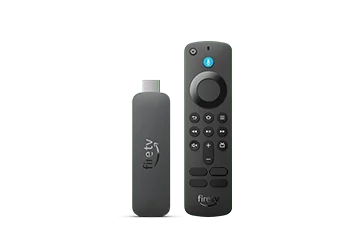
Check the device rather than the tutorial headline
Amazon’s specifications identify the operating-system branch for each model. If About shows Vega, look for a player release explicitly supported on that platform and device. A guide whose first instruction is to install an Android package describes a different target.
This distinction is especially important when moving from an older Fire TV Stick to a 4K Select or 2026 model. Copying the former installation file can reproduce the wrong workflow rather than restore the working application.
Do not confuse a delivery code with compatibility
A Downloader code or short link only locates a file or web resource. It does not certify the publisher, convert the application format or add missing operating-system support. Changing the code repeatedly will not solve a platform mismatch.
Use the device catalogue and the player developer’s supported-platform information. If the developer does not offer the required build, compare a different supported application or hardware route before purchasing an app licence.
Keep the account diagnosis separate
If the application cannot be installed, resetting a streaming password is unlikely to address that stage. Once a compatible player is installed, its account form and playback support become the next checks.
A useful report states that installation failed on a named Vega model, rather than saying the subscription does not work. That wording directs attention to the actual software dependency without exposing credentials.
Choose a concrete next step
- Record model and installed OS.
- Find a publisher-supported Vega release in the actual device environment.
- Check the account format that release accepts.
- Test the required viewing tasks before committing to additional application costs.