
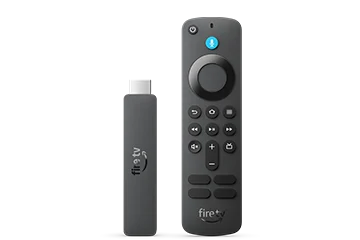
Separate the 2026 model from earlier HD sticks
Amazon has sold several HD-labelled Fire TV products. The 2026 specification identifies the AFTCL001 model and Vega platform. The 2024 HD with Alexa Voice Remote is not the same software target. Use the complete model name in a player compatibility enquiry.
Recent Vega 2.0 release notes list the 2026 HD model, while older general tables can still show an earlier Vega version. Check About on the device rather than treating a page’s cached version label as proof of its installed update.
Set up for the television you have
Complete the normal HDMI, network and Amazon setup before adding a third-party player. Choose the output supported by the television and keep the full video frame visible. Overscan or a television zoom mode can cut off player controls even when the stream itself is playing correctly.
An HD-oriented device can be a reasonable fit for an HD display, but a subscription description containing 4K or 8K does not change the device’s output limits. Compare the hardware and screen requirements with the actual viewing task instead of choosing by a catalogue badge.
Check a native application route
A player needs a release supported on this Vega model. Begin with the device’s app catalogue and the developer’s documentation. Do not follow a guide whose only installation route is an Android APK, even if its headline also says Fire TV.
After installation, test navigation with the supplied remote. Search, channel lists, playback controls and text entry should all be usable without a touch screen. Successful installation alone does not establish that the account or each media format will work.
Before replacing the device
If an app is missing, establish whether the publisher offers a Vega build. If the player opens but cannot sign in, investigate the account fields and service state. If only a particular video fails, retain its error and format details. These checks distinguish a genuine platform limitation from a problem a different subscription would not fix.