
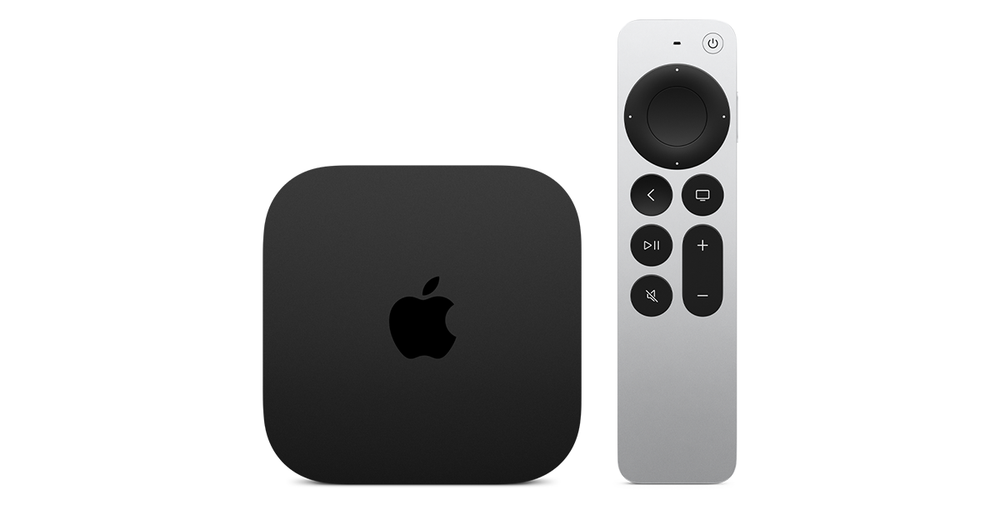
Check which Apple TV hardware you have
Apple documents App Store downloads for Apple TV 4K and Apple TV HD. Identify the box before following instructions from another generation or from an application running on a smart television.
The Apple TV app on a Samsung or LG screen is not the same thing as an Apple TV hardware box running tvOS. Its presence does not create a tvOS application catalogue on that television.
Find the actual publisher listing
Search the Apple TV store for the genuine application and compare the developer. A phone edition, a similarly named app or an Android download is not proof of a compatible tvOS edition.
A purchase on one platform can also have specific entitlement conditions. Read the developer’s current terms rather than assuming every app feature or licence transfers automatically.
Choose a supported alternative by input
If there is no appropriate television edition, compare a genuine supported player that accepts the authorised account format. An AirPlay route is another separate option only if the application and receiver support the intended task.
Do not treat screen mirroring as identical to a native app. The controls, session and output conditions differ, so test the selected route.
Keep the support question precise
State the box model, tvOS version and exact application/publisher. This distinguishes a missing release from a purchase or account problem and avoids troubleshooting steps that assume an iPhone interface exists on the television.